Best Business Phone & SMS Systems in 2026
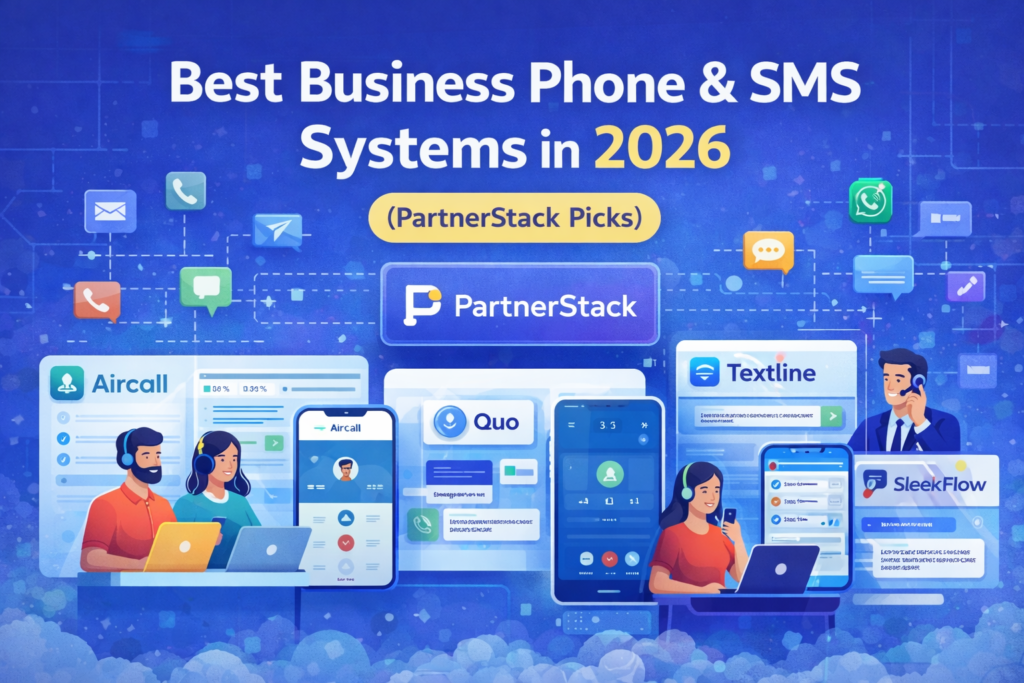
Why a “Phone + SMS Stack” matters in 2026
Email is still important, but most customers now expect fast replies through calls, texts, and messaging apps. A modern communication stack helps you:
- respond faster (and close more deals),
- reduce missed calls and “no-shows,”
- keep conversations organized across the team,
- track performance (calls, response time, conversions).
Internal link suggestion :
- If you’re building a full growth stack, see our guide on email platforms first → [Best Email Marketing Platforms for Small Businesses in 2026 (Free + Paid Picks)]
Quick Summary Table (Comparison)
| Tool | Best for | Calling | SMS/Texting | Omnichannel | Standout strength | ✅ |
|---|---|---|---|---|---|---|
| Aircall | Sales + support teams that need structured calling | ✅✅✅ | ✅ (varies by plan/region) | ➖ | Call workflows + coaching + scale | ✅ |
| Quo (OpenPhone) | Teams that want a simple modern business number | ✅✅ | ✅✅✅ | ➖ | Clean shared inbox for calls/texts | ✅ |
| Textline | High-volume business texting + support texting | ➖ | ✅✅✅ | ➖ | SMS-first, great for service updates | ✅ |
| Ruby | “Answering service” + live receptionist vibe | ✅✅✅ | ➖ | ➖ | Humans answering calls = fewer missed leads | ✅ |
| SleekFlow | WhatsApp/IG/FB messaging with team workflows | ➖ | ✅✅ | ✅✅✅ | Omnichannel messaging + automation | ✅ |
1) Aircall

Overview
Aircall is built for teams that handle a lot of customer conversations—especially sales and support—where you want structure, routing, and performance visibility.
Key Features
- Cloud calling for teams
- Routing and workflow automation for calls
- Coaching/quality support (useful when scaling)
Pros
- Strong for teams (not just a single founder line)
- Designed for scaling and managing call operations
Cons
- Might feel “too much” if you only need a simple number and basic texting
- Setup is more involved than lightweight apps
Pricing (general)
Typically paid plans; costs depend on seats/features (check their site for latest).
Best for
Teams that want a true calling platform (sales + support), not just a basic VoIP line.
Internal link suggestion:
- If you already use automation tools, connect call events into your workflows → [Best Workflow Automation Tools for Small Businesses in 2026 (Top Picks Compared)]
2) Quo (formerly OpenPhone)
Overview
Quo (formerly OpenPhone) focuses on a clean modern experience: business calls + texts + contacts in one shared space that works across devices.
Key Features
- Business phone number for teams
- Calls + texting + contacts in one app
- Easy collaboration around conversations
Pros
- Fast to set up
- Great “shared inbox” feel for calls/texts
- Simple enough for small teams, solid enough to grow
Cons
- Not as “call-center heavy” as Aircall for advanced routing/coaching
- Omnichannel (WhatsApp/IG) not the core focus
Pricing (general)
Usually seat-based plans.
Best for
Founders and lean teams who want a modern business number with excellent texting.
3) Textline

Overview
Textline is SMS-first—perfect when your customer experience depends on reliable business texting: confirmations, updates, support replies, and quick follow-ups.
Key Features
- Business texting workflows (support + ops)
- Team management around SMS
- Great for service notifications and conversations
Pros
- One of the strongest “SMS-focused” picks
- Ideal if texts are your main channel
Cons
- Not built as a full calling platform
- If you need WhatsApp/IG/FB, look at SleekFlow
Pricing (general)
Often depends on users + volume.
Best for
Businesses where SMS is the main support or operations channel (appointments, services, reminders).
4) Ruby
Overview
Ruby is different: it’s built around the idea of never missing a call—great when calls are high-value and you want a polished “human answering” experience.
Key Features
- Call answering / receptionist-style support
- Helps capture leads instead of losing them to voicemail
Pros
- Huge improvement in perceived professionalism
- Great for lead capture and high-intent calls
Cons
- Not an SMS/omnichannel messaging tool
- Better as part of a stack (paired with SMS or CRM)
Pricing (general)
Service-based pricing.
Best for
Service businesses or founders who want premium call handling and fewer missed opportunities.
Internal link suggestion:
- Once leads come in, make sure you track them properly → [Best CRM Software for Small Businesses (2026) — Top Picks Compared]
5) SleekFlow
Overview
SleekFlow is best when you need omnichannel messaging (not just SMS): WhatsApp + social DMs + team workflows + automation.
Key Features
- Omnichannel messaging and shared team inbox
- Automation around messaging flows
Pros
- Strong “messaging hub” approach
- Great for brands that sell/support via WhatsApp & social
Cons
- Not a calling-first tool
- Setup is more “platform” than “simple app”
Pricing (general)
Plans vary by features/usage.
Best for
Teams whose customer support and sales happen mostly via messaging apps.
How to choose the right tool (simple decision)
- If calls are your main channel → Aircall
- If you want a modern business number + texting with easy teamwork → Quo (OpenPhone)
- If SMS is mission-critical (ops/support) → Textline
- If you want human answering and premium call handling → Ruby
- If you need WhatsApp + IG + FB messaging workflows → SleekFlow
Comparison Table (Pricing style + learning curve)
| Tool | Pricing style (typical) | Learning curve | Best “stack pair” |
|---|---|---|---|
| Aircall | Seat-based | Medium | CRM + Help Desk |
| Quo (OpenPhone) | Seat-based | Low | CRM + Email marketing |
| Textline | Users + volume | Low–Medium | CRM + Scheduling |
| Ruby | Service-based | Low | CRM + SMS tool |
| SleekFlow | Platform-based | Medium | Automation + CRM |
Final tip:
- Want a full marketing stack? Start with our email marketing guide → [Best Email Marketing Platforms for Small Businesses in 2026 (Free + Paid Picks)]
- To manage leads from calls and texts, use a CRM → [Best CRM Software for Small Businesses (2026) — Top Picks Compared]