Best AI Workflow Automation Tools (2026): Zapier vs Make vs n8n + 4 Alternatives
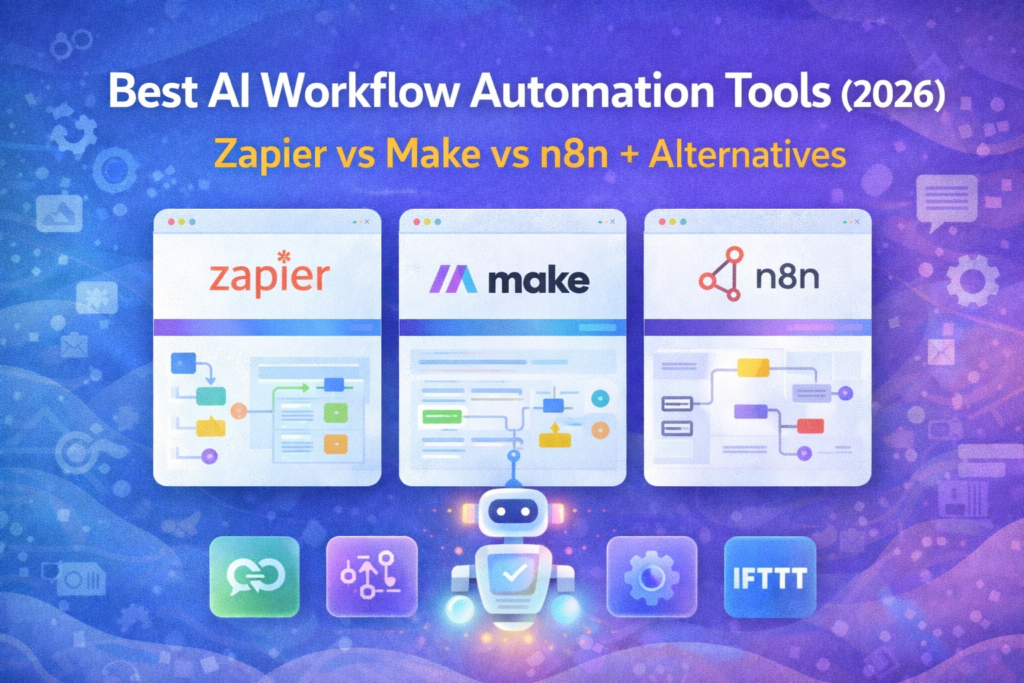
Automation is the fastest way to scale a SaaS operation without hiring—especially when your stack grows across CRM, email, support, and analytics. The best workflow automation tools connect your apps, trigger actions, and even add AI steps like summarizing text, routing leads, or generating follow-up drafts.
In this guide, we’ll compare the best AI workflow automation tools in 2026, starting with the big three (Zapier, Make, n8n) plus strong alternatives depending on whether you want simplicity, flexibility, or self-hosting.
Internal link (place here):
“If you want a deeper head-to-head breakdown, read our Zapier vs Make vs n8n comparison.”
How to Choose the Right Automation Tool (SaaS Checklist)
1) No-code vs low-code vs self-hosted
- No-code: fastest setup, best for teams
- Low-code: more flexibility for complex flows
- Self-hosted: maximum control and data ownership
2) AI steps (where AI actually helps)
AI is useful when it saves real time:
- summarizing meeting notes
- classifying leads
- drafting follow-ups
- extracting action items
- cleaning and formatting data
3) Integrations that match your stack
Look for native connections to:
- CRM (HubSpot / Pipedrive / Zoho)
- Email (MailerLite / Brevo / ConvertKit etc.)
- Support (helpdesk)
- Sheets/Notion/Slack
Internal link (place here):
“If you’re building your full growth setup, our Lead Generation Stack guide shows where automation fits.”
Quick Comparison Table (2026)
| Tool | Best for | Biggest strength | Main downside | Button CTA |
|---|---|---|---|---|
| Zapier | Teams that want speed | Huge app directory + simple setup | Can get pricey at scale | Try Zapier |
| Make | Visual builders & complex flows | Powerful scenario builder | Learning curve for beginners | Build in Make |
| n8n | Tech teams/self-hosting | Control + flexibility | Needs setup/ops if self-hosted | Start with n8n |
| Pabbly Connect | Budget automation | Strong value for many zaps | UI less polished | See Plans |
| Bardeen | Browser-based automations | Great for web tasks | Narrower use cases | Get Bardeen |
| IFTTT | Simple personal automations | Very easy triggers | Not built for SaaS ops | Try IFTTT |
| Microsoft Power Automate | Microsoft-first teams | Deep MS ecosystem | Overkill outside MS stack | Explore Power Automate |
1) Zapier

Overview
Zapier is the “default choice” when you want automation to work quickly without a lot of setup. It’s ideal for SaaS teams that want reliable workflows like: form submission → CRM → email → Slack notification.
Key Features
- Huge integrations library
- Multi-step workflows (Zaps)
- Filters, paths, and conditional logic (plan-dependent)
- Webhooks (for more advanced routing)
Pros
- Fastest time-to-value for most teams
- Easy to maintain once built
- Excellent for non-technical teams
Cons
- Costs can rise with high task volume
- Very complex logic may be easier in Make or n8n
Pricing
Pricing generally scales with tasks and advanced features—choose based on expected monthly automation volume.
Best for
Non-technical SaaS teams who want fast, dependable automation.
“If you’re routing leads into your pipeline, start with our Best CRM Software for Small Businesses (2026) — Top Picks Compared guide to choose the right CRM first.”
2) Make
Overview
Make is a great fit when you need more complex, visual workflows. It’s popular for multi-step logic—like transforming data, branching flows, and syncing systems in a controlled way.
Key Features
- Visual scenario builder
- Powerful data manipulation
- Routers/branches for complex logic
- Webhooks and custom requests (advanced)
Pros
- Excellent for complex, multi-app workflows
- Visual clarity for advanced logic
- Strong control over data flow
Cons
- Slightly steeper learning curve than Zapier
- Overkill if you only need simple automations
Pricing
Often based on operations/usage—pick based on how many scenarios you’ll run.
Best for
SaaS teams that want power + visual control.
“To connect automation with campaigns, our Best Email Marketing Platforms for Small Businesses in 2026 (Free + Paid Picks) roundup helps you pick the right email platform.”
3) n8n

Overview
n8n is the best option here if you want flexibility and control—especially for technical teams or anyone who prefers self-hosting. It’s strong for custom workflows, private data handling, and building “automation infrastructure.”
Key Features
- Advanced workflow builder
- Self-hosting option (control + privacy)
- Custom nodes and code steps
- Webhooks and robust logic
Pros
- High flexibility for complex automation
- Great for self-hosting and data control
- Strong for dev-friendly workflows
Cons
- Setup and maintenance if self-hosted
- More technical than Zapier
Pricing
Varies by hosting and plan. The “right choice” depends on whether you want managed vs self-hosted.
Best for
Technical SaaS teams that want full control.
“If your goal is to increase demo bookings before automation even starts, see our Best Landing Page Builders for Small Businesses (2025) guide.”
4 Great Alternatives (When Zapier/Make/n8n Aren’t Ideal)
4) Pabbly Connect (Best budget option)
Best for: teams that want many workflows at a lower cost.
5) Bardeen (Best for browser automation)
Best for: automating web-based repetitive tasks (copying data, workflows inside the browser).
6) IFTTT (Best for simple triggers)
Best for: basic personal automations—generally not SaaS ops-heavy.
7) Microsoft Power Automate (Best for Microsoft stack)
Best for: companies living in Microsoft 365 (Teams/Outlook/SharePoint).
5 Real SaaS Automation Use Cases (Copy these into your workflows)
Use case 1: Lead capture → CRM → sales alert
Landing page form submission → create lead in CRM → notify sales on Slack.
Internal link (place here):
“For the full system, our Lead Generation Stack guide maps this flow end-to-end.”
Use case 2: Trial sign-up → onboarding sequence
New user registers → tag user → start email onboarding sequence.
Internal link (place here):
“To pick the right platform for onboarding, see our Best Email Marketing Software guide.”
Use case 3: Support ticket → internal escalation
High-priority ticket → create task → notify channel → assign owner.
Internal link (place here):
“If you’re building a support stack, see our Best Customer Support Software roundup.”
Use case 4: Meeting notes → action items → tasks
AI meeting summary → extract action items → create tasks + send recap.
Use case 5: Weekly reporting to Slack
Pull KPIs from tools → compile → send weekly digest.
Final Recommendation (Quick Verdict)
- Choose Zapier if you want speed and the widest integrations.
- Choose Make if you need complex, visual scenarios and data control.
- Choose n8n if you want flexibility, custom logic, and self-hosting.
FAQ ?
Q1) Which workflow automation tool is best for SaaS?
Zapier is usually best for fast setup and broad integrations. Make is better for complex logic, and n8n is best for teams that want full control or self-hosting.
Q2) Are AI automations worth it?
Yes—when AI replaces manual steps like summarizing, classifying, or drafting. Avoid AI steps that add cost without reducing work.
Q3) What should I automate first?
Start with lead capture → CRM routing → follow-ups. That’s typically the highest ROI workflow.
Q4) Can I connect automation tools to CRM and email platforms?
Yes. Most tools connect to CRMs and email platforms directly, and you can extend with webhooks for custom workflows.
Q5) How do I avoid breaking workflows?
Keep flows simple, document owners, and build alerts for failures.
Pingback: ActiveCampaign vs Klaviyo (2026): Which Email Marketing Platform Is Better for Automation, Ecommerce & Growth?
Pingback: HubSpot vs RecurPost (2026): CRM & Marketing Automation vs Social Scheduling — Which One Fits You?