Webflow vs Squarespace (2026): Which Website Builder Should You Choose?
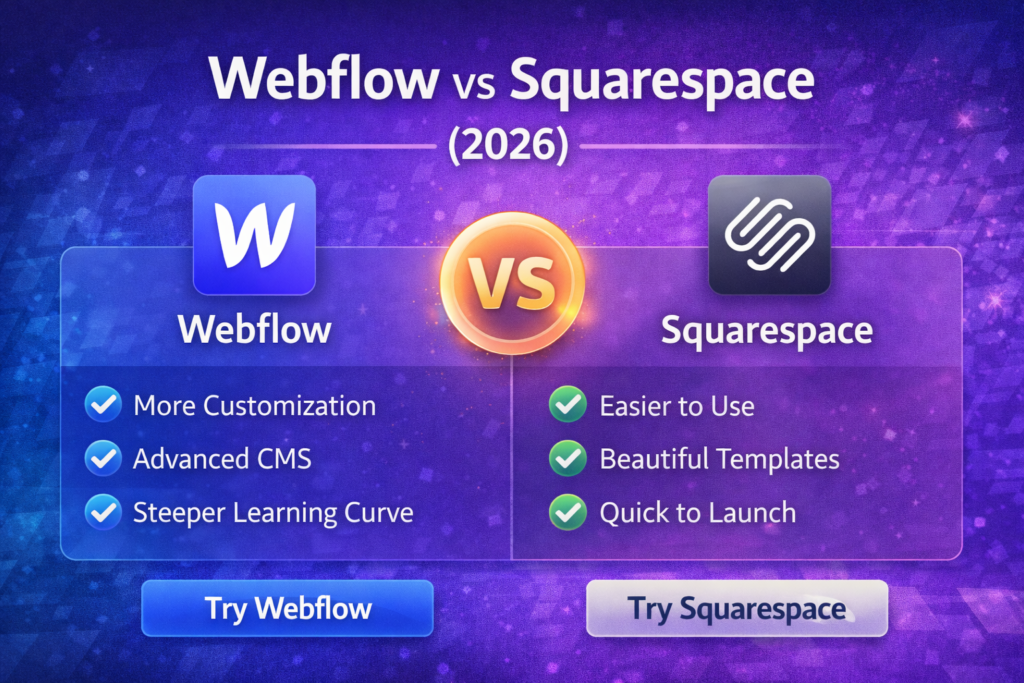
Webflow and Squarespace are both excellent website builders—but they’re built for different types of people.
- Squarespace is about speed and simplicity: pick a template, edit sections, launch quickly.
- Webflow is about control and precision: you can design almost anything, but it takes more time to learn and maintain.
If you’re building a SaaS review site (or any content-driven site), your best choice depends on how much you value design freedom vs simplicity.
“If you’re still comparing builders beyond these two, ourBest Website Builders for Small Businesses in 2026 (Tested Picks) guide gives you a bigger shortlist with pros/cons for each option.”
Quick Verdict (Fast Picks)
- Choose Squarespace if: you want a polished site fast, minimal setup, and you’re okay staying within a structured template system.
- Choose Webflow if: you want maximum design control, custom layouts, stronger flexibility for CMS-driven design, and you’re willing to learn it.
- For SEO-focused content sites: both can work, but your success depends more on content quality + internal linking + speed + structure than the platform.
Webflow vs Squarespace: Comparison Table (2026)
| Feature | Webflow | Squarespace |
|---|---|---|
| Ease of use | Medium–Hard (learning curve) | Easy (template-first) |
| Design flexibility | Extremely high | Medium (within templates) |
| Best for | Designers, marketing teams, custom sites | Creators, small teams, fast launches |
| CMS | Strong (custom collections + layouts) | Solid (simpler content structure) |
| SEO control | Strong control for structure | Good for standard SEO needs |
| Ecommerce | Good (but more setup) | Good for simpler stores |
| Speed to launch | Slower | Faster |
| Scaling & custom design | Excellent | Good, but more limited |
| Pricing style | Site plans + workspace/team needs | Straightforward tier plans |
What Matters Most for Choosing (Especially in 2026)
1) How “custom” your site needs to be
If you want unique layouts (custom comparison blocks, category hubs, interactive elements), Webflow wins.
2) Your content workflow
If you publish daily and want frictionless editing, Squarespace often feels simpler.
3) Your growth stack
If your site will rely on landing pages, lead capture, and conversion experiments, Webflow can be the better “marketing system.”
Internal link (place here):
“If your goal is conversions (email capture, lead magnets, signup funnels), our Best Landing Page Builders for Small Businesses (2025) guide can help even if you don’t change your website builder.”
Webflow Review (2026)

Overview
Webflow is a visual development platform that gives you near “front-end level” control without needing to code everything manually. It’s famous for letting you create truly custom designs and structured CMS pages (great for blogs, directories, and comparison-heavy sites).
Key Features
- Advanced designer with granular control (layouts, spacing, responsiveness)
- CMS collections (ideal for content sites)
- Custom interactions/animations
- Flexible page templates (great for programmatic content patterns)
- Team workflows (depending on plan)
Pros
- Best-in-class design freedom
- Excellent for custom landing pages and product marketing sites
- Strong CMS flexibility for structured content
Cons
- Learning curve is real (especially for beginners)
- Can take longer to publish/maintain compared to template builders
- Some features and scaling needs can raise costs
Pricing
Webflow pricing typically depends on:
- the site plan (hosting + features)
- and (optionally) workspace/team features
(Exact tiers change—always confirm current pricing on the official pages.)
Best for
- SaaS marketing sites that care about conversion design
- Content sites that want custom layouts (comparisons, templates, hubs)
- Teams willing to learn and optimize
Squarespace Review (2026)
Overview
Squarespace is a polished, template-first website builder designed for fast launches. It’s popular with creators and businesses who want a high-quality site without building a custom system.
Key Features
- High-quality templates and sections
- Built-in hosting and basic commerce
- Blogging and content pages
- Built-in analytics (basic)
- Built-in scheduling/email tools (depending on add-ons)
Pros
- Very easy to use
- Beautiful templates out of the box
- Faster time-to-launch than Webflow
- Low maintenance
Cons
- Less flexible for advanced custom layouts
- Can feel restrictive for complex content structures
- Scaling into “custom systems” can hit limits
Pricing
Squarespace usually offers straightforward tier plans (website vs ecommerce), with optional add-ons. Confirm current tiers/pricing on the official site.
Best for
- People who want a good-looking site fast
- Smaller teams who value simplicity over customization
- Portfolio + brochure-style sites, and simpler content workflows
Webflow vs Squarespace: Which One Is Better for SEO?
Both platforms can rank in Google, but SEO outcomes depend on execution:
- Clean structure (H1 once, logical H2/H3)
- Internal links
- Helpful content that matches search intent
- Fast pages, good UX, and consistent publishing
Webflow SEO strengths
- More control over design and structure
- Easier to create custom SEO landing pages at scale
Squarespace SEO strengths
- Simple, safe defaults
- Less chance of “breaking” your layout while editing
Internal link (place here):
“If you’re building SEO comparison content regularly, use our Semrush vs Ahrefs – Which SEO Tool Is Better in 2025? post as a reference for how to structure ‘vs’ pages clearly.”
Webflow vs Squarespace for SaaS Review Sites (PilotryLab-style)
If you publish frequently (2 posts/day)
- Squarespace can feel faster for daily publishing.
- Webflow can still work, but set up your CMS and templates properly first (otherwise publishing becomes slower).
If your reviews rely on custom blocks (tables, pros/cons, CTAs, clusters)
- Webflow is excellent for building reusable layouts (comparison sections, pricing blocks, “best for” boxes).
“To build a system around conversions (newsletter + lead magnets + tracking), our The Best Lead Generation Stack for Small Businesses in 2026 (Landing Pages + Email + Automation) guide is a strong next step.”
Use Cases: Choose Based on Your Goal
Choose Webflow if you want…
- High-converting landing pages (custom layouts)
- A design-forward SaaS brand site
- Structured content hubs that look unique
- A long-term custom system you can evolve
Best for: marketing-led teams, designers, custom SaaS sites
CTA: Try Webflow
Choose Squarespace if you want…
- A great-looking site launched quickly
- Easy editing without breaking design
- Minimal maintenance and complexity
- A simple, reliable content workflow
Best for: creators, fast launches, low maintenance sites
CTA: Try Squarespace
Migration Notes (If You Might Switch Later)
- Switching builders later is possible, but the real work is URL structure + redirects + content formatting.
- If you’re already publishing a lot, choose the platform you can maintain for 12–24 months without friction.
Internal link (place near the end):
“If you’re worried about performance and stability, our Best WordPress Hosting for Speed in 2026 (Tested Picks for Small Businesses) – PilotryLab guide has good principles that apply to any site: speed, uptime, and caching mindset.”
FAQ ?
Q1: Is Webflow better than Squarespace for SEO?
Webflow gives you more control; Squarespace is simpler with good defaults. In practice, SEO performance comes more from content quality, internal linking, and technical cleanliness than the builder alone.
Q2: Which is easier for beginners?
Squarespace is usually easier because it’s template-first. Webflow has a steeper learning curve but offers much more control.
Q3: Which is better for a content-heavy site?
Both can work. Squarespace can be faster for daily publishing, while Webflow is stronger if you want custom CMS templates and structured content design.
Q4: Which is better for ecommerce?
Squarespace is great for simpler ecommerce. Webflow can work well too, but ecommerce setups can require more design and configuration work.
Q5: Which should I choose if I want more conversions?
If you’re building lots of landing pages and running conversion experiments, Webflow often wins due to design flexibility. But pairing any site with a dedicated landing page tool can also work.