Best AI Meeting Assistants in 2026 (Notes, Summaries & Action Items)
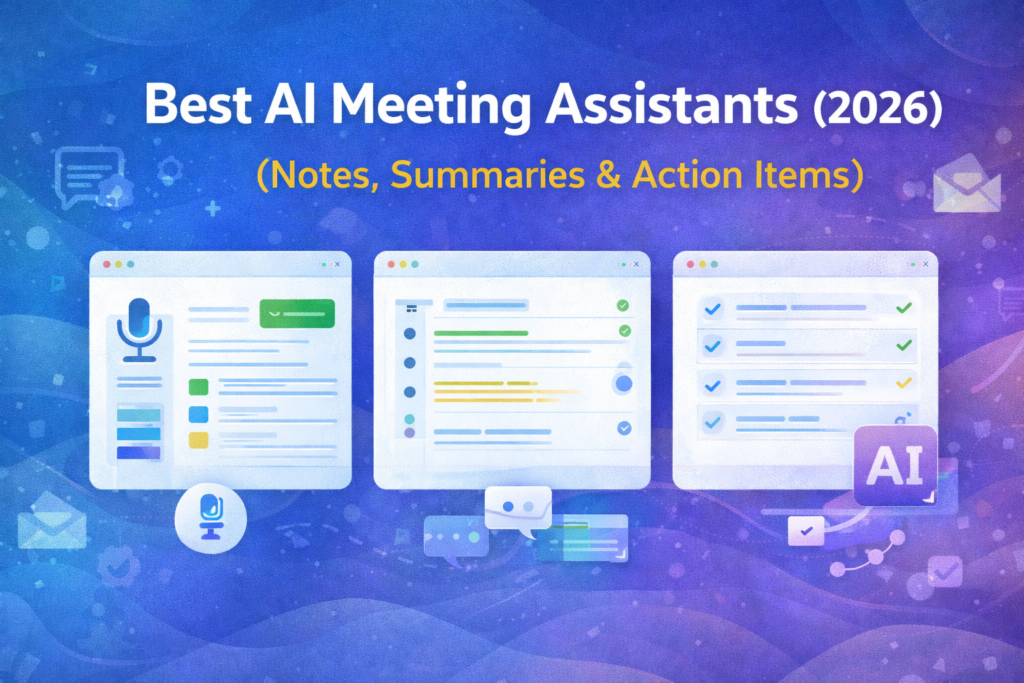
Meetings are still where decisions happen—but the “after-meeting work” (notes, follow-ups, action items, CRM updates) is where time gets wasted.
AI meeting assistants fix that by:
- Recording calls (Zoom/Meet/Teams)
- Creating searchable transcripts
- Generating clean summaries
- Extracting action items & owners
- Syncing key notes to your tools (Slack, Notion, CRMs, etc.)
In this guide, we compare the best AI meeting assistants in 2026 and show exactly who each tool is best for, what it does well, and what to avoid.
Quick Comparison Table
| Tool | Best For | Standout Strength | Key Features | Pricing Style |
|---|---|---|---|---|
| Fathom | Fast, clean summaries for teams | “Best notes with minimal setup” | Recording, highlights, summaries, sharing | Free + paid tiers |
| Fireflies.ai | Teams that want searchable meeting knowledge | Strong library + search | Transcription, summaries, topic tracking | Free + paid tiers |
| tl;dv | Teams that need clips + follow-ups | Great for sharing moments | Recording, summaries, clips, workflows | Free + paid tiers |
| Otter | Simple transcription & notes | Straightforward + familiar | Transcription, summaries, team notes | Tiered plans |
| Avoma | Sales teams & coaching workflows | Deeper revenue insights | Notes + coaching + CI workflows | Paid tiers (often sales-led) |
“workflow automation tools” → Best Workflow Automation Tools for Small Businesses in 2026 (Top Picks Compared)
“Best Website Builders” →Best Website Builders for Small Businesses in 2026 (Tested Picks)
How to Choose the Right AI Meeting Assistant (Checklist)
Before you pick, answer these 7 questions:
- Where do you meet? (Zoom / Google Meet / Microsoft Teams)
- Do you need only summaries—or coaching & analytics too?
- Do you need CRM sync (HubSpot/Salesforce/Pipedrive)?
- Do you share clips with clients/teams a lot?
- Do you need multilingual transcription?
- Do you care about team permissions & admin controls?
- Do you need a searchable “meeting knowledge base”?
If you only need great notes quickly → choose a lightweight notetaker.
If you’re a sales org → choose conversation intelligence depth.
1) Fathom
Overview
Fathom is built for people who want excellent meeting summaries without complexity. It’s usually the fastest path from “meeting ended” → “clean notes + action items + shareable recap”.
Key Features
- Meeting recording + transcript
- AI summaries and action items
- Highlights / key moments
- Easy sharing (recap links)
Pros
- Quick setup (great first AI notetaker)
- Clean output that’s easy to paste into docs/CRM
- Works well for internal meetings + client calls
Cons
- Less “heavy” coaching analytics than CI platforms
- Advanced sales workflows may need deeper tooling
Pricing
- Typically free + paid tiers (varies by plan)
Best For
Teams that want the best summary quality with minimal setup.
2) Fireflies.ai
Overview
Fireflies is great when you want your meetings to become a searchable knowledge library. It’s popular for teams that do lots of calls and need to search past decisions, objections, or client requests.
Key Features
- Transcription + summaries
- Search across meetings
- Action items and key points
- Sharing and collaboration
Pros
- Strong meeting archive + search
- Great for teams with many recurring calls
- Useful for cross-team visibility (product, sales, success)
Cons
- Some teams prefer simpler UI if they only need “notes”
- Best experience depends on plan + workflow
Pricing
- Free + paid tiers
Best For
Teams that want a meeting memory system (search + reuse insights).
3) tl;dv

Overview
tl;dv shines when you share meeting moments a lot. If your workflow includes clipping key parts, sending recaps to stakeholders, or building internal learning libraries, it’s a strong pick.
Key Features
- Recording + transcription
- AI summaries
- Clips & highlights
- Shareable meeting snippets
Pros
- Great for “clip-first” workflows
- Easy sharing across teams
- Strong for customer interviews, product research, sales handoffs
Cons
- If you never share clips, you might not use its best feature
- Some advanced org needs may require more admin depth
Pricing
- Free + paid tiers
Best For
Teams that share clips and want fast, collaborative recaps.
4) Otter

Overview
Otter is one of the most well-known transcription tools. It’s a good fit if you want a familiar, straightforward “record + transcript + notes” workflow without overcomplicating things.
Key Features
- Transcription + searchable notes
- Summaries (plan-dependent)
- Team folders & sharing
- Integrations (varies)
Pros
- Simple and easy to understand
- Good for individuals or small teams
- Solid transcription-first experience
Cons
- May feel less “workflow-automated” than newer AI-first tools
- Some features depend heavily on the plan
Pricing
- Tiered plans
Best For
People who want simple transcription and notes with a proven product.
5) Avoma

Overview
Avoma is a deeper platform that often appeals to sales teams that want not only notes, but also structured coaching and conversation intelligence workflows.
Key Features
- AI meeting notes + summaries
- Coaching / analysis workflows (often sales-focused)
- CRM-friendly workflows (varies by setup)
- Team insights & performance tracking (plan-dependent)
Pros
- Strong for sales orgs (coaching + consistency)
- Helps standardize call reviews and best practices
- Better fit when you need more than “notes”
Cons
- Heavier than lightweight notetakers
- Overkill if you only want simple summaries
Pricing
- Paid tiers (often more “team/business” focused)
Best For
Sales teams that want notes + coaching + repeatable process.
My Recommendations (Quick Picks)
- Best overall summaries (fastest setup): Fathom
- Best searchable meeting library: Fireflies.ai
- Best for clips & shareable moments: tl;dv
- Best simple transcription-first option: Otter
- Best for sales coaching & CI workflows: Avoma
“CRM software” → Best CRM Software for Small Businesses in 2025
“email marketing software” → Best Email Marketing Platforms for Small Businesses in 2026 (Free + Paid Picks)
FAQ ?
1) What is the best AI meeting assistant in 2026?
If you want the fastest setup with excellent summaries, start with a lightweight notetaker like Fathom. If you want searchable meeting knowledge across many calls, Fireflies is a strong option.
2) Do AI meeting assistants work with Zoom, Google Meet, and Teams?
Most top tools support at least Zoom and Google Meet. Some also support Microsoft Teams. Always confirm the latest integration list on the vendor’s site.
3) Are AI meeting notes accurate?
Accuracy depends on audio quality, speakers, and language. The best results come from clear microphones and minimal background noise.
4) Which tool is best for sales teams?
If you need coaching workflows and structured call analysis, Avoma-style platforms are often better than simple transcription tools.
5) Can I use these tools to create follow-up emails and action items?
Yes—most AI meeting assistants generate action items and summaries you can paste into email or your CRM. Some also help automate follow-ups depending on integrations.
“landing page builders” → Best Landing Page Builders for Small Businesses (2025)