The Best Lead Generation Stack in 2026 (Landing Pages + Email + Automation)
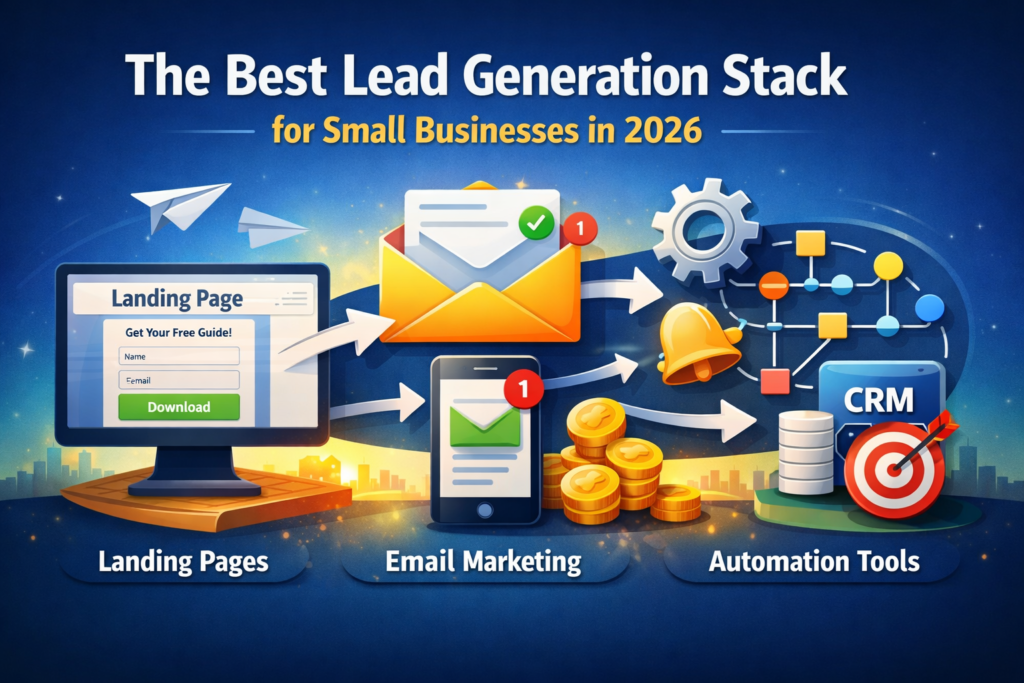
If you run a small business in 2026, your website can’t be “just a brochure.” You need a simple system that captures leads, follows up automatically, and turns interest into booked calls, demos, or purchases—without you manually chasing every visitor.
That’s where a lead generation stack comes in:
- a landing page builder to capture leads,
- an email marketing platform to nurture them, and
- an automation tool to connect everything and trigger follow-ups.
In this guide, you’ll learn the best tool combinations for small businesses, plus what to choose depending on your budget, skills, and growth stage.
Internal Link :
If you’re still deciding between automation platforms, this Zapier vs Make vs n8n comparison breaks down the real differences for small businesses
What a “Lead Generation Stack” Actually Includes
A complete stack usually has five moving parts:
- Landing page (one focused offer and a form)
- Form + lead capture (name/email/phone + consent)
- Email automation (welcome sequence + follow-up)
- Workflow automation (send leads to your CRM, Slack, Sheets, etc.)
- Tracking (basic conversions + performance checks)
The good news: you don’t need 20 tools. You can do this with 3–5 tools, as long as they integrate well and don’t force you into complicated setups.
Quick Comparison Table
| Tool | Role in the stack | Ease of use | Best for | Pricing style (general) |
|---|---|---|---|---|
| Unbounce | Landing pages + conversion optimization | ★★★★☆ | Teams that want high conversion rates | Paid plans (varies) |
| Leadpages | Landing pages for fast publishing | ★★★★★ | Beginners & service businesses | Paid plans (varies) |
| MailerLite | Email marketing + automations | ★★★★★ | Simple newsletters + sequences | Free/paid tiers (varies) |
| Zapier | Automation connector (apps) | ★★★★★ | Simple “connect everything” workflows | Task-based tiers (varies) |
| Make | Advanced visual automation | ★★★★☆ | Complex workflows & data routing | Operations-based tiers (varies) |
The 3 Best Stack Setups (Choose One)
1) “Fast & Simple” Stack (Best for beginners)
Leadpages + MailerLite + Zapier
- Build a landing page in minutes
- Send subscribers into a welcome email sequence
- Use Zapier to push leads to Google Sheets, your CRM, Slack, or a booking tool
Pick this if: you want something you can set up today with minimal learning curve.
2) “Conversion-Focused” Stack (Best for higher ROI)
Unbounce + MailerLite + Zapier (or Make)
- Unbounce is strong for testing and improving conversion rates
- MailerLite handles clean email sequences
- Zapier/Make connects your lead data to the rest of the business
Pick this if: you’re running ads or you want to squeeze more leads out of the same traffic.
3) “Advanced Automations” Stack (Best for ops-heavy businesses)
Unbounce or Leadpages + MailerLite + Make
- Make is great if you want routing, filtering, multiple steps, and data transformation
- This is ideal when your leads need different paths (services vs pricing tiers vs locations)
Pick this if: you have multiple services, multiple teams, or you need more complex follow-ups.
Tool-by-Tool Breakdown (PartnerStack-Friendly)
1) Unbounce
Overview
Unbounce is a landing page builder built for one thing: turning visitors into leads. It’s especially valuable when traffic is expensive (ads) or when you’re trying to optimize conversions over time.
Key Features
- Landing page builder with focused templates
- Conversion-oriented layouts and sections
- A/B testing and iteration-friendly workflows
- Forms + lead capture
Pros
- Strong for improving conversion rates
- Great templates and structure
- Ideal for serious lead-gen pages
Cons
- More “marketing tool” than a simple website builder
- May feel like overkill if you only need one basic page
Pricing
Paid plans with tiered features (pricing varies by plan and usage).
Best for
Businesses that care about performance and want landing pages designed to convert.
2) Leadpages

Overview
Leadpages is perfect if your priority is speed. You want a landing page up fast, with minimal complexity. It’s popular with service businesses, coaches, and local companies that need quick lead capture and clean pages.
Key Features
- Simple landing page builder
- Easy publishing flow
- Lead capture forms
- Templates for service offers and lead magnets
Pros
- Very beginner-friendly
- Fast setup and publishing
- Great for straightforward funnels
Cons
- Less “advanced testing” feel compared to conversion-first builders
- Customization can feel limited for advanced designers
Pricing
Paid plans (varies).
Best for
Beginners and service businesses who want to launch lead pages quickly.
3) MailerLite
Overview
MailerLite is one of the easiest ways for a small business to start email marketing, build forms, and create automation sequences that actually run in the background.
Key Features
- Email campaigns and newsletters
- Automation sequences (welcome series, follow-ups)
- Segmentation and tagging
- Forms and basic landing pages (useful as backup)
Pros
- Very easy to use
- Great for clean email sequences
- Quick to launch and maintain
Cons
- Not ideal for super-complex enterprise logic
- Ecommerce segmentation depends on your store setup
Pricing
Free + paid tiers (varies based on list size and features).
Best for
Small businesses that want simple, reliable email automation without complexity.
4) Zapier

Overview
Zapier connects your tools without requiring technical knowledge. It’s the best option when you want “if this happens, do that” automation—fast.
Key Features
- Connect hundreds/thousands of apps
- Multi-step automations
- Trigger-based workflows (forms, emails, spreadsheets, CRM)
- Templates for common business use cases
Pros
- Easiest automation tool to start with
- Works with almost everything
- Great for simple workflows
Cons
- Costs can rise as volume grows
- Very complex workflows may be better in a visual builder
Pricing
Task-based tiers (varies).
Best for
Small businesses that want reliable automation with minimal setup.
5) Make
Overview
Make is ideal when your workflows have branches, routes, conditions, or you want more visual control over what happens to each lead.
Key Features
- Visual scenario builder
- Routing and branching
- Filters and conditions
- More control over data flow
Pros
- Great for complex workflows
- Visual clarity for multi-step systems
- Often efficient for advanced usage
Cons
- Slight learning curve
- Can take longer to set up than Zapier
Pricing
Operations-based tiers (varies).
Best for
Businesses that want deeper automation logic and control.
The Exact Workflow to Build Your Stack (Simple Blueprint)
Here’s a reliable lead-gen flow most small businesses can use:
- Visitor lands on your page (Unbounce/Leadpages)
- They submit the form (name + email + optional phone)
- MailerLite adds them to a group/tag (e.g., “Lead Magnet” or “Free Consultation”)
- MailerLite sends a welcome email immediately
- Zapier/Make sends lead details to:
- Google Sheets (backup log)
- Slack/Email notification
- CRM (if you use one)
- Calendar/booking tool (optional)
Result: you don’t lose leads, and every lead gets a fast response.
Common Mistakes That Kill Conversions
- Sending leads to a “homepage” instead of a focused landing page
- Asking for too many fields (name + email is enough to start)
- No instant email follow-up
- No thank-you page or next step
- No internal tracking (you won’t know what works)
FAQ :
1) What is the best lead generation stack for a small business?
A practical lead-gen stack includes a landing page builder, an email marketing tool, and an automation connector. The best choice depends on how fast you want to launch and how advanced your workflows are.
2) Is it better to start with Zapier or Make?
Zapier is best for quick, simple automations. Make is better for advanced workflows with routing, filters, and complex multi-step scenarios.
3) Do I need a landing page builder if I already use WordPress?
Not always, but landing page builders can improve conversion rates because they’re designed for focused offers and lead capture without distractions.
4) How many emails should my welcome sequence include?
A simple starting sequence is 3–5 emails: welcome, value/education, case study or proof, offer, and follow-up.
4) How many emails should my welcome sequence include?
Track conversion rate (visitors → leads), email open/click rates, and how many leads become calls/sales.
Pingback: Ahrefs vs SpyFu vs Semrush (2026): Which SEO Tool Should You Choose