Best Workflow Automation Tools for Small Businesses in 2026 (Top Picks Compared)
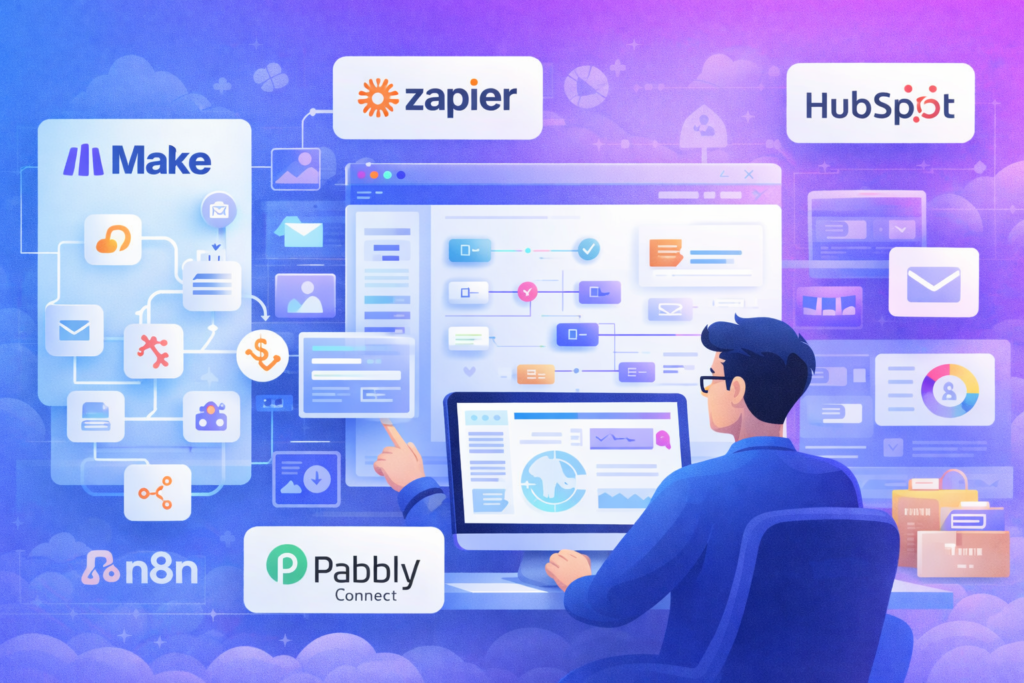
Automation isn’t just a “nice-to-have” anymore—especially for small businesses trying to grow without hiring a bigger team. The right workflow automation tool can connect your apps, reduce manual work, prevent errors, and keep leads moving from “new” to “paid” without constant follow-ups.
In this guide, we’ll compare the best workflow automation tools for small businesses in 2026, including no-code and low-code options, and show exactly which one to choose depending on your workflow style.
If you want a deep head-to-head between the most popular options, see our full comparison: Zapier vs Make vs n8n (internal link).
Quick Summary Comparison Table
| Tool | Best For | Ease of Use | Integrations | Pricing Style | Standout Strength |
|---|---|---|---|---|---|
| Zapier | Beginners + mainstream apps | ⭐⭐⭐⭐⭐ | ⭐⭐⭐⭐⭐ | Task-based | Largest app library |
| Make (Integromat) | Visual workflows + flexibility | ⭐⭐⭐⭐☆ | ⭐⭐⭐⭐☆ | Ops-based | Visual scenario builder |
| n8n | Technical teams + self-hosting | ⭐⭐⭐☆ | ⭐⭐⭐⭐☆ | Instance-based | Powerful + customizable |
| Pabbly Connect | Budget automation | ⭐⭐⭐⭐☆ | ⭐⭐⭐☆ | Lifetime deals common | Best value for money |
| IFTTT | Simple personal/small automations | ⭐⭐⭐⭐⭐ | ⭐⭐⭐☆ | Applets-based | Super simple triggers |
| HubSpot Workflows | CRM-centered automation | ⭐⭐⭐⭐☆ | ⭐⭐⭐☆ | CRM-based | Best for sales pipelines |
How to Choose the Right Automation Tool
Before picking a tool, answer these 4 questions:
- How many apps do you need to connect?
If you rely on popular tools (Google Workspace, Slack, Shopify, Mailchimp, HubSpot), you want broad integrations. - Do you need complex logic?
If you need branching, filters, routers, error handling, and multi-step flows, go beyond basic “if this then that.” - Do you need self-hosting / data control?
If you handle sensitive data or want full control, pick an option like n8n. - What’s your pricing comfort?
Some tools charge per “task,” others per “operation,” and some have predictable plans.
Zapier vs Make vs n8n (anchor: “Zapier vs Make vs n8n”)
1) Zapier

Overview
Zapier is the most popular workflow automation tool for small businesses—and for a reason. It’s easy to set up, has a massive integration library, and works well for straightforward automations like “when a new lead submits a form, add them to a sheet and send a Slack message.”
Key Features
- Huge integrations ecosystem
- Multi-step workflows (Zaps)
- Filters, paths, webhooks (on higher plans)
- Prebuilt templates
Pros
- Easiest onboarding for beginners
- Works with almost every mainstream app
- Reliable and stable
Cons
- Can get expensive at scale
- Complex workflows can feel limiting vs visual builders
Pricing
Typically task-based (cost grows as you run more tasks).
Best For
Small businesses that want fast setup and broad app coverage.
2) Make (formerly Integromat)
Overview
Make is ideal if you prefer seeing your automation as a “flowchart.” It’s powerful, flexible, and visually intuitive once you understand the basics.
Key Features
- Visual scenario builder
- Advanced branching and routing
- Strong error handling tools
- Good for complex data transformations
Pros
- Visual clarity for multi-step automations
- Better control for advanced workflows
- Often cheaper than Zapier for heavy usage
Cons
- Slightly steeper learning curve
- Some integrations need more manual configuration
Pricing
Usually operations-based.
Best For
Teams building more advanced workflows with multiple branches.
3) n8n
Overview
n8n is a favorite for technical founders and teams that want more control. You can run it in the cloud or self-host it, and it’s extremely customizable.
Key Features
- Self-hosting option
- Powerful node-based builder
- Code-friendly for custom logic
- Strong webhook and API capabilities
Pros
- Best for customization and control
- Great for developers and advanced workflows
- Can be cost-effective if self-hosted
Cons
- Not as beginner-friendly
- Requires more setup and maintenance if self-hosted
Pricing
Instance-based (or server cost if self-hosted).
Best For
Technical businesses that need flexibility and control.
4) Pabbly Connect

Overview
If you want automation on a budget, Pabbly Connect is a strong alternative. It covers many common use cases and is often available with lifetime deals.
Key Features
- Multi-step workflows
- Common app integrations
- Value-focused pricing
Pros
- Great value
- Good for basic to mid-level automation
- Lifetime deals can be very attractive
Cons
- Smaller integration library than Zapier
- Advanced features may feel limited
Pricing
Typically plan-based; sometimes lifetime deals.
Best For
Small businesses looking for affordable automation.
5) IFTTT

Overview
IFTTT is best for simple triggers—especially for solo creators or very small workflows. It’s not designed for complex business automation, but it’s extremely easy.
Best For
Very simple automations.
6) HubSpot Workflows (If You Use HubSpot CRM)
If your business runs inside a CRM, native workflows often beat external automation tools. HubSpot workflows can automate lead routing, email sequences, pipeline updates, and sales tasks.
If you’re choosing a CRM right now, read: Best CRM Software for Small Businesses
Best CRM Software for Small Businesses (anchor: “best CRM tools”)
Best Automation Tool by Use Case
- Best overall for beginners: Zapier
- Best for complex visual workflows: Make
- Best for technical control: n8n
- Best budget choice: Pabbly Connect
- Best for CRM-driven automation: HubSpot Workflows
FAQ ?
Q1: What is the best workflow automation tool for a small business?
A: For most small businesses, Zapier is the best starting point due to ease of use and integrations. If you need complex flows, Make is often better. If you want full control, n8n is a strong pick.
Q2: Is Zapier better than Make?
A: Zapier is easier for beginners and has more integrations. Make is better for complex workflows because of its visual builder, routers, and advanced logic.
Q3: Can I automate my email marketing with these tools?
A: Yes. You can connect lead forms to email platforms, trigger sequences, and sync audiences. If you’re choosing a platform, see Mailchimp Alternatives (internal link).
Q4: Do I need automation if I’m just starting?
A: Yes—basic automation saves time immediately, even if you only automate lead capture, notifications, and follow-up reminders.
Q5: What’s the cheapest automation tool?
A: Pabbly Connect is often the most budget-friendly, especially when lifetime deals are available. n8n can also be low-cost if self-hosted.
Pingback: Ahrefs vs SpyFu vs Semrush (2026): Which SEO Tool Should You Choose