Best CRM Software for Small Businesses in 2026 (Top Picks Compared)
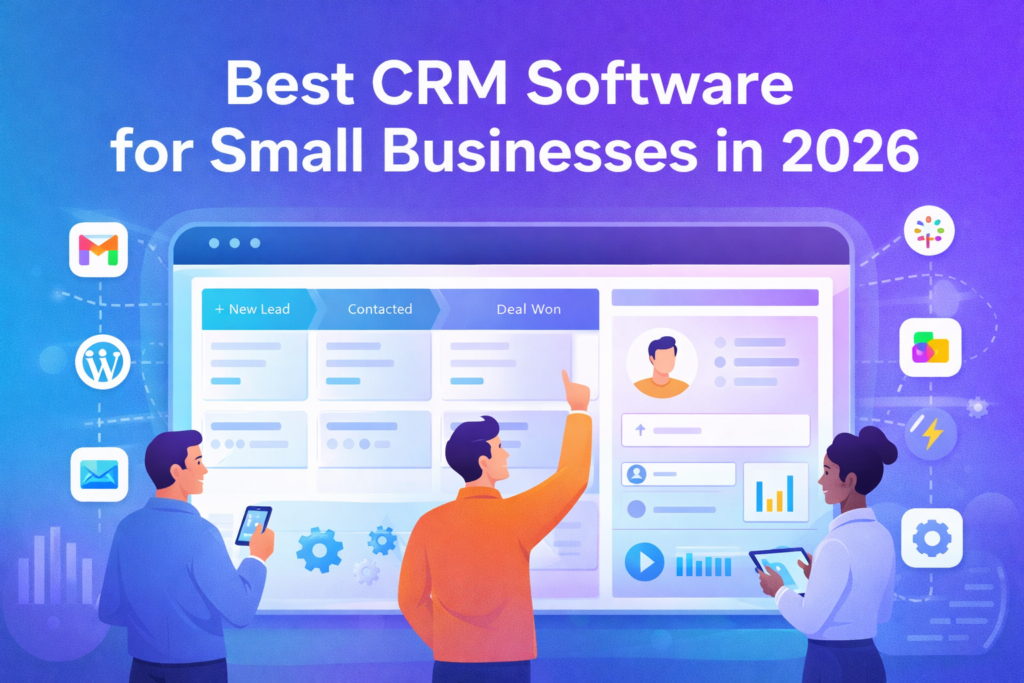
Choosing the right CRM (Customer Relationship Management) tool can be the difference between “we’re busy” and “we’re growing.” For small businesses, the best CRM isn’t the one with the most features—it’s the one your team actually uses daily: a clear pipeline, fast follow-ups, clean reporting, and automations that save time.
In this guide, we compare the best CRM software for small businesses in 2026 with a practical deep dive into each option—so you can pick the right platform without overpaying or getting stuck with limitations.
Quick Summary (Comparison Table)
| CRM | Best for | Ease of use | Automation | Email/Marketing | Reporting | Pricing style |
|---|---|---|---|---|---|---|
| HubSpot CRM | Startups + strong free plan | ⭐⭐⭐⭐☆ | ⭐⭐⭐⭐☆ | ⭐⭐⭐⭐☆ | ⭐⭐⭐⭐☆ | Free + paid hubs |
| Pipedrive | Sales pipelines & deal tracking | ⭐⭐⭐⭐⭐ | ⭐⭐⭐⭐☆ | ⭐⭐⭐☆☆ | ⭐⭐⭐⭐☆ | Per-seat tiers |
| Zoho CRM | Value + all-in-one ecosystem | ⭐⭐⭐⭐☆ | ⭐⭐⭐⭐☆ | ⭐⭐⭐⭐☆ | ⭐⭐⭐⭐☆ | Affordable tiers |
| Freshsales | Budget-friendly + modern features | ⭐⭐⭐⭐☆ | ⭐⭐⭐⭐☆ | ⭐⭐⭐☆☆ | ⭐⭐⭐⭐☆ | Low starting tiers |
| Salesforce (SMB plans) | Scalability + advanced CRM power | ⭐⭐⭐☆☆ | ⭐⭐⭐⭐⭐ | ⭐⭐⭐⭐☆ | ⭐⭐⭐⭐⭐ | Tiered plans |
| monday.com (as CRM) | Visual workflows + team collaboration | ⭐⭐⭐⭐☆ | ⭐⭐⭐⭐☆ | ⭐⭐⭐☆☆ | ⭐⭐⭐☆☆ | Team-based plans |
Note on pricing: SaaS prices change often. Use each tool’s official pricing page to confirm the latest numbers before purchasing.
How to Choose the Right CRM (Small Business Checklist)
Before selecting a CRM, use this quick filter:
- A clear pipeline (stages, probability, deal value).
- Fast setup (CSV import + Gmail/Outlook integration).
- Follow-ups (tasks, reminders, sequences).
- Automation (move deals, assign tasks, notify owners).
- Reporting (won deals, lead sources, rep performance).
- Integrations (email marketing, forms, calendars, Slack, Zapier).
- True total cost (users + must-have features + add-ons).
If a CRM fails on #2 and #3, it won’t stick—even if it’s “powerful.”
1) HubSpot CRM

Overview
HubSpot is one of the most popular CRMs for small businesses because it offers a strong free plan and an easy path to upgrade later (Sales, Marketing, Service hubs) as your team grows.
Key Features
- Contact & company records with an activity timeline
- Deal pipelines, tasks, meeting scheduling
- Email tracking and templates (varies by plan)
- Large integration ecosystem
Pros
- Excellent starting point (especially if budget is tight)
- Friendly UI and strong learning resources
- Scales well if you later need marketing or support features
Cons
- Costs can rise as you add hubs and advanced features
- Some “must-have” features might require paid upgrades
Pricing
- Free CRM available, with paid upgrades depending on what you add.
Best for
Startups and small teams that want a CRM that “just works” quickly.
2) Pipedrive
Overview
Pipedrive is built for sales teams who want a clean, simple pipeline and reliable deal tracking. It’s especially strong when your main goal is to move deals forward with consistency.
Key Features
- Highly customizable pipelines
- Activity-based selling (tasks tied to deals)
- Automation rules (move deals, create tasks, notify reps)
- Strong sales reports and forecasting (plan-dependent)
Pros
- One of the easiest CRMs to use day-to-day
- Ideal for pipeline-focused sales teams
- Great visibility into deal progress
Cons
- Less “all-in-one” than platforms combining CRM + marketing + support
- Some features require higher plans
Pricing
- Per-seat plans with multiple tiers.
Best for
Small businesses that are sales-driven and want simple pipeline execution.
3) Zoho CRM

Overview
Zoho CRM is a high-value choice, especially if you want an affordable CRM that can expand into a broader business suite (email, accounting, help desk, etc.) as your needs grow.
Key Features
- Lead & contact management with scoring
- Workflow automations
- Multi-channel communication (varies by plan)
- Solid reporting for the price
Pros
- Strong value for small budgets
- Flexible and customizable
- Great if you plan to use more Zoho apps later
Cons
- Can take longer to set up than simpler CRMs
- Some settings may feel complex for beginners
Pricing
- Typically affordable tiers, scaling with features.
Best for
Small businesses that want the best value and room to expand.
4) Freshsales (Freshworks)
Overview
Freshsales is a strong budget-friendly CRM with a modern interface and a feature set that fits many small sales teams—especially if you want a faster start without sacrificing key automation.
Key Features
- Leads, contacts, deals, and activity tracking
- Email and calling tools (plan-dependent)
- Automation workflows
- Reporting dashboards
Pros
- Great value for small teams
- Clean UI + quick onboarding
- Strong core CRM features without heavy complexity
Cons
- Not as deep as Salesforce for advanced enterprise needs
- Some integrations/features require higher tiers
Pricing
- Generally positioned as a low-cost entry CRM with tiered upgrades.
Best for
Small businesses that want solid CRM features at a friendly price.
5) Salesforce (SMB Plans)
Overview
Salesforce is the “big power” option. Many small businesses use it when they need advanced automation, deep reporting, and long-term scalability—especially if they expect rapid growth.
Key Features
- Advanced customization and automation
- Strong reporting and dashboards
- Huge marketplace of integrations (AppExchange)
- Highly scalable architecture
Pros
- Best-in-class scalability
- Advanced reporting and automation
- Fits teams that want a CRM for the long run
Cons
- Higher learning curve than simpler CRMs
- Setup can take time (or require help)
Pricing
- Tiered plans, including options positioned for small businesses.
Best for
Businesses that want maximum scalability and advanced CRM capabilities.
6) monday.com (Used as a CRM)

Overview
monday.com isn’t a traditional CRM first—it’s a work management platform that many teams use as a CRM because it’s visual, flexible, and great for collaboration.
Key Features
- Custom boards for pipelines and lead tracking
- Automation recipes
- Basic dashboards
- Strong team collaboration features
Pros
- Very visual and easy for teams to adopt
- Great for combining sales + operations workflows
- Flexible structure for unique business processes
Cons
- Not as “CRM-native” for sales analytics as Salesforce/Pipedrive
- CRM features depend on how you set up boards/templates
Pricing
- Team-based plans (varies by tier).
Best for
Teams that want sales tracking plus broader workflow management.
My Recommendation (Quick Picks)
- Best free start: HubSpot CRM
- Best for pipeline sales: Pipedrive
- Best value: Zoho CRM
- Best budget + quick setup: Freshsales
- Best long-term scalability: Salesforce
- Best for visual workflows: monday.com
Best Keywords to Target (for this article + future CRM posts)
Primary:
- best CRM for small business
- small business CRM
Secondary:
- CRM for startups
- affordable CRM software
- sales pipeline CRM
- CRM with automation
- CRM with email integration
- HubSpot vs Pipedrive
- Zoho CRM vs HubSpot
- CRM implementation checklist
Internal Linking
Link to related content across your site:
- Email Marketing: Best Email Marketing Tools for Small Business
- Landing Pages: Best Landing Page Builders
- SEO Tools: Best SEO Tools for Beginners
- Website & Hosting: Best WordPress Hosting for Small Business
FAQ ?
1) What is the best CRM for a small business?
If you want a strong free start, HubSpot is a popular choice. If your priority is a clean sales pipeline, Pipedrive is often easier day-to-day.
2) What’s the most affordable CRM that still works well?
Zoho CRM and Freshsales are commonly chosen by small teams because they offer strong core CRM features at a relatively low starting cost.
3) Do I need a CRM if I already use spreadsheets?
If you track leads, follow-ups, or a pipeline, a CRM reduces missed tasks and makes reporting easier as you grow.
4) Is Salesforce too big for small businesses?
Not always. It’s a great fit if you need scalability and advanced reporting—but it can require more setup than simpler tools.
5) Can monday.com be used as a CRM?
Yes. Many teams use it as a CRM-style system because it’s visual and flexible, especially when they want sales tracking plus team workflows.
Pingback: Fireberry CRM (פיירברי) – סקירה מלאה, יתרונות/חסרונות והשוואה לחלופות (2026)